

Create documents, automate tasks, and finish business work faster with AI.
Fiddyscript helps individuals, teams, and agencies turn AI into practical daily workflows — from PDF Factory product workflows and PDF Studio document exports to brand-aware writing, sales content, desktop automation, and client-ready outputs.
Built for creators, agencies, small businesses, sales teams, and entrepreneurs who need finished business content, PDFs, proposals, and workflow outputs faster.
AI is powerful, but most businesses still struggle to turn it into finished work.
Fiddyscript is built for the part after the prompt — the documents, PDFs, proposals, follow-ups, brand content, and workflow outputs your business actually needs.
Scattered chats
Too many AI chats, not enough usable outputs your team can reuse, export, or hand to a client.
Repeated prompting
Repeating the same instructions every day wastes time and makes outputs inconsistent.
Slow documents
PDFs, proposals, reports, customer replies, and sales follow-ups still take too long to prepare.
One workspace with practical AI tools for documents, automation, media, and business outputs.
These are the core Fiddyscript product areas and tools.
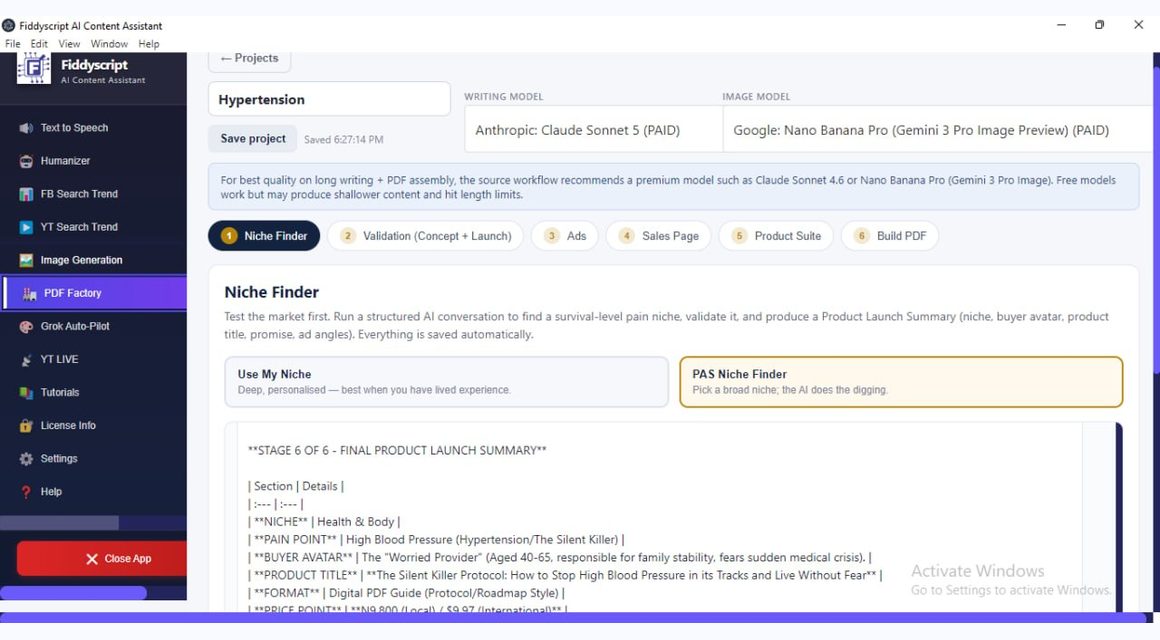
PDF Factory
Validate a niche, generate ads, sales pages, then build a designed Market ready PDF product workflow.
PDF Studio
Paste or load a document, improve it with AI, then export a branded business PDF.
Home & Scripts
Access ready workflows, scripts, and guided business writing tools from the Fiddyscript home workspace.
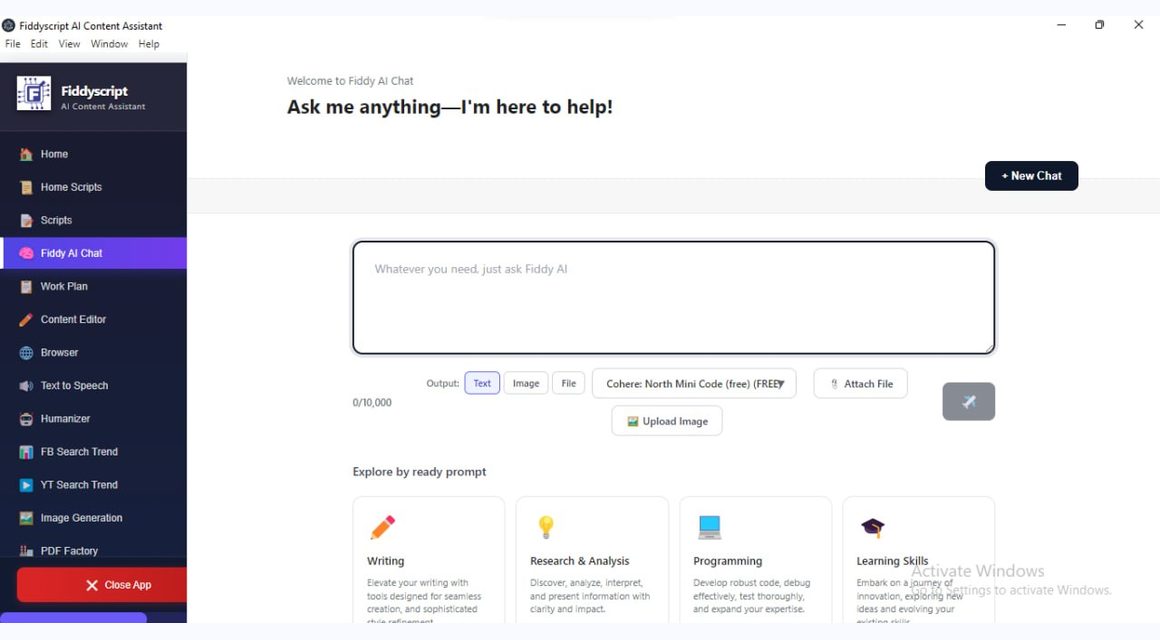
Fiddy AI Chat
Research, write, summarize, plan, brainstorm, and generate useful work outputs inside the chat workspace.
Browser (desktop)
Desktop browser automation for assisted research and repetitive web tasks while the user stays in control.
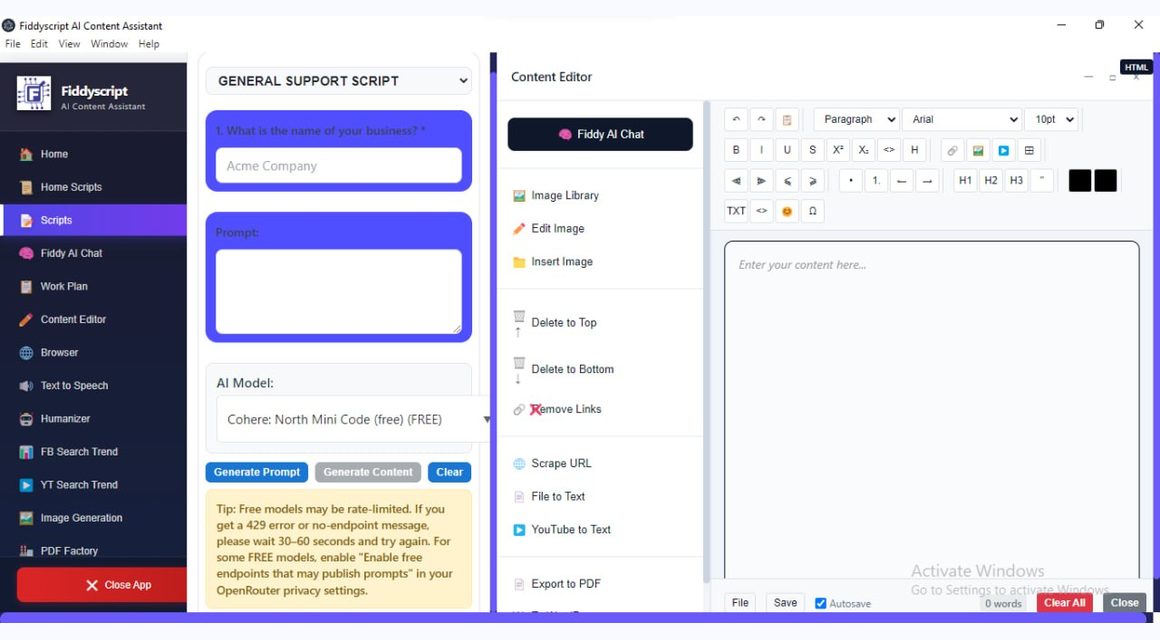
Content Editor
Edit, refine, organize, and prepare generated content before export or publishing.
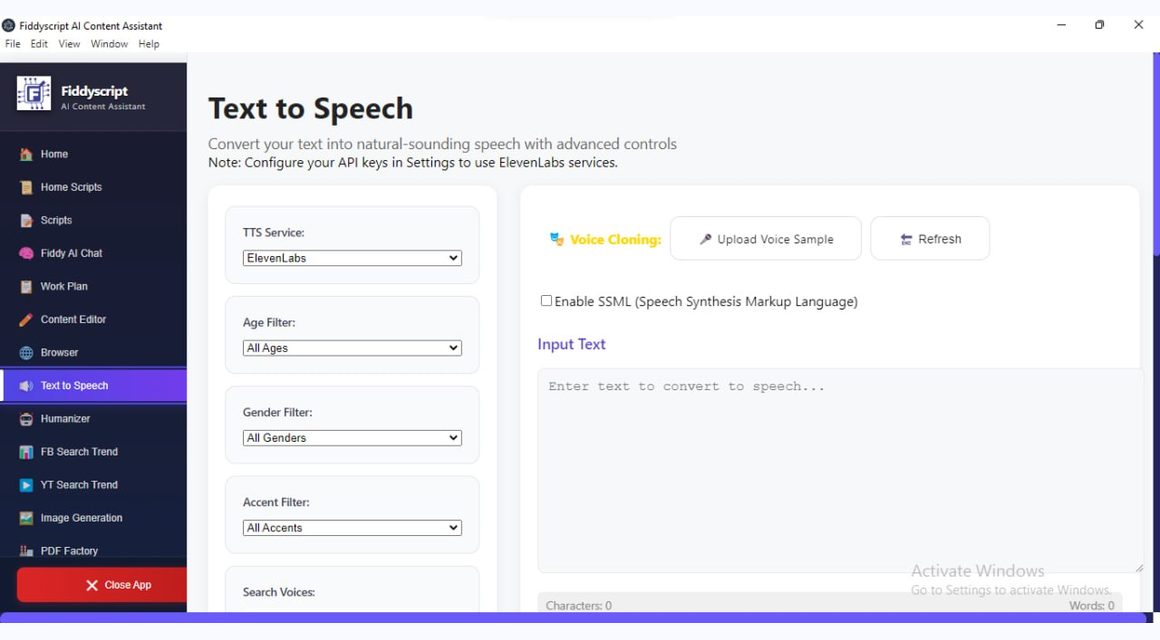
Text to Speech
Turn written content into spoken audio for demos, narration, learning, and content repurposing.
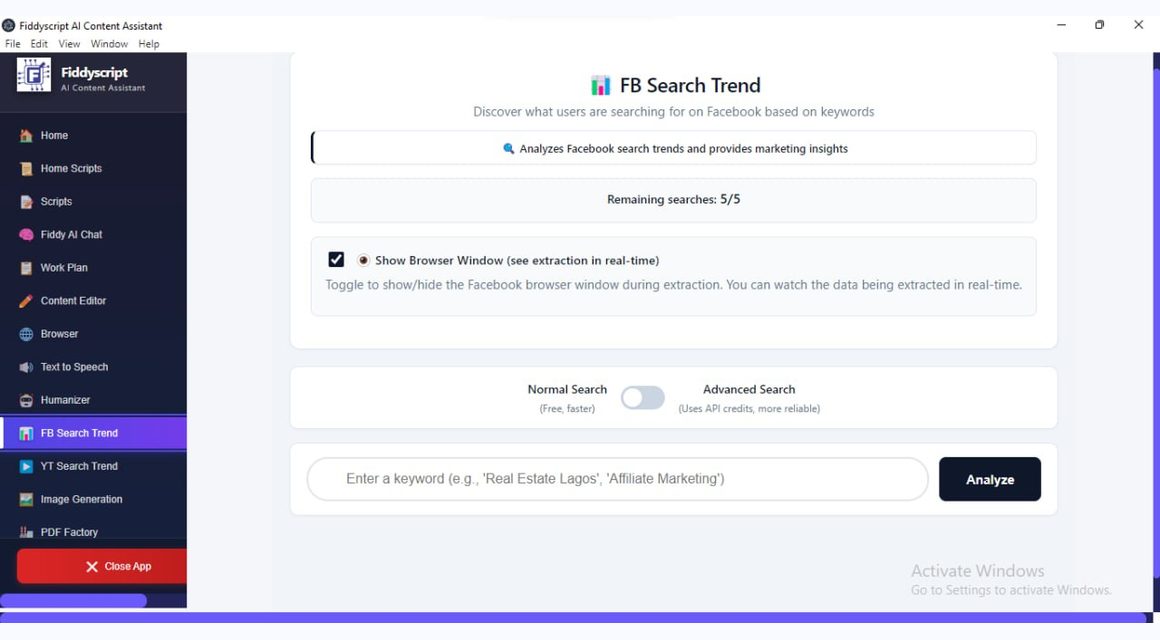
FB Search Trend
Get Realtime Facebook trend/search signals to before creating your next content ideas for high visibility.
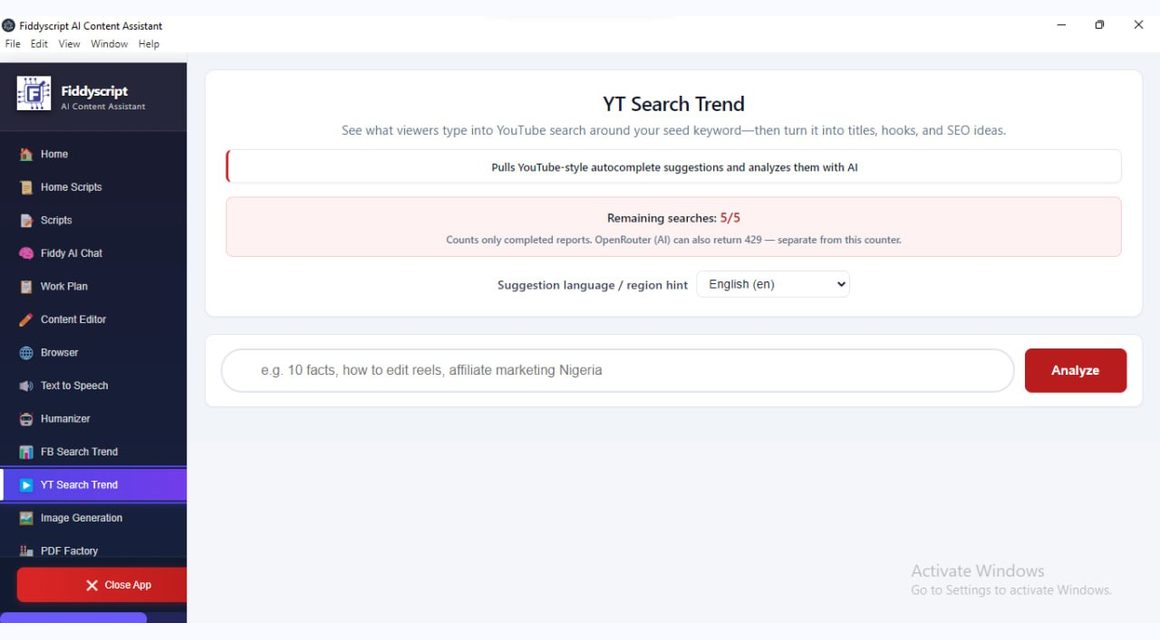
YT Search Trend
Get Realtime YouTube hot trend/search signals to before creating your next content ideas for high visibility.
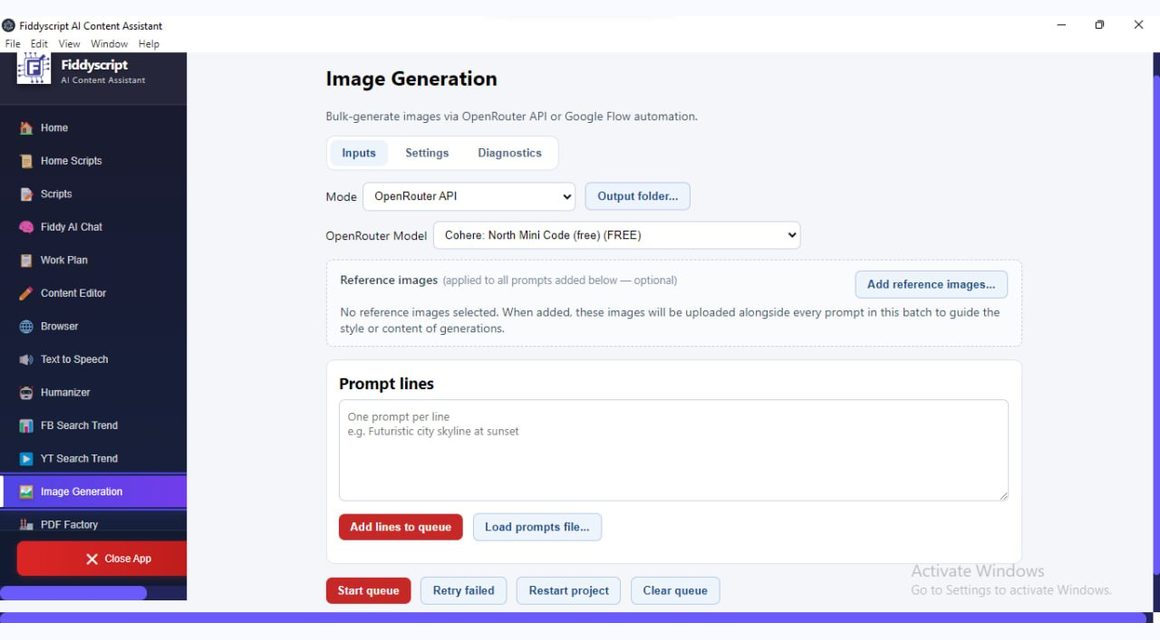
Image Generation
Bulk Generate images in less time, for videos, campaigns, UCG and creative workflows.
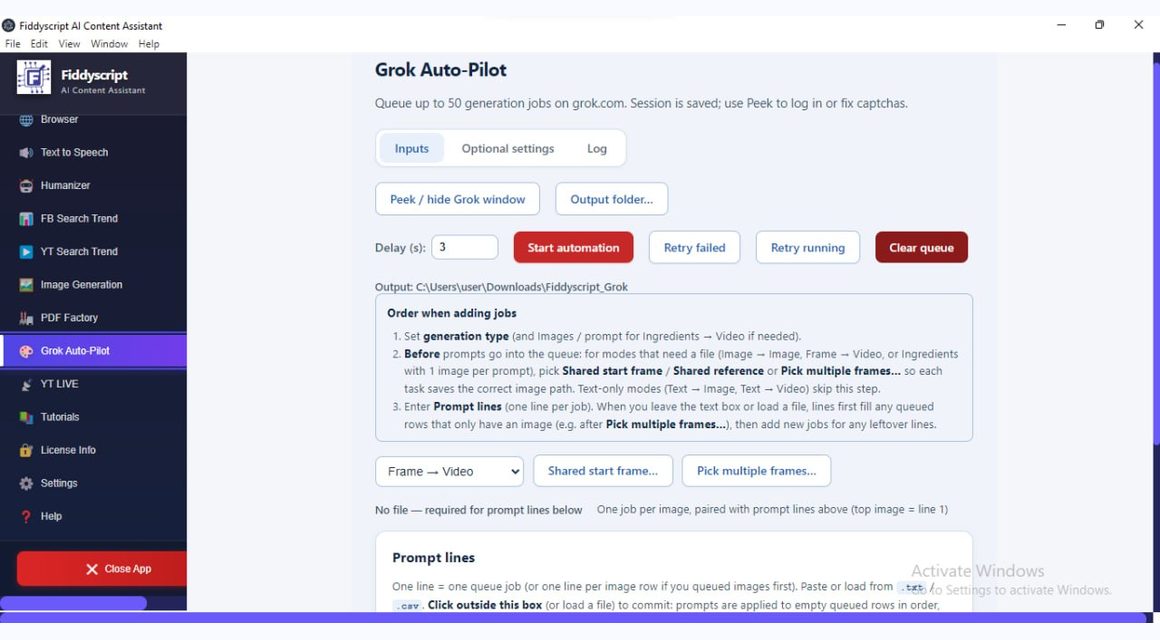
Grok Auto-Pilot
Bulk Generated, consistent character videos using automation.
YT Live
Stream single or multiple recorded videos live on your YouTube channel.
Humanizer
Rewrite AI drafts into more natural, human-sounding content while keeping the message clear.
Work Plan
Turn Content Calendar, into trackable tasks and todos, and campaigns, generate content with AI and get reminders.
From prompt to finished work in three steps.
Choose a workflow
Pick a product/tool such as PDF Factory, PDF Studio, Fiddy AI Chat, Content Editor, Browser desktop, Image Generation, Humanizer, or Work Plan.
Add your context
Upload a file, paste notes, select a brand voice, or describe what you need.
Export, refine, or automate
Download the result, copy it, share it, or let Fiddyscript assist the next task.
Two PDF workflows. Different jobs. Same Fiddyscript workspace.
Use PDF Factory when you want to build a productized PDF asset or funnel from an idea. Use PDF Studio when you need to create, improve, organize, summarize, or export business documents and PDFs.
PDF Factory: turn ideas into sellable PDF product workflows.
Start with a niche, offer, topic, or rough idea. PDF Factory helps shape the research, content structure, sales page direction, ad angles, and supporting assets around a PDF product workflow.
PDF product/sample guide
Upsell page
Thank-you page
Downsell page
Sales image prompts
- Build productized PDF ideas from niche/topic to structured content.
- Shape offer, sales page, and ad-angle direction.
- Prepare launch-ready copy around the PDF product.
- Package content into a PDF-product style workflow.
- Use the Blood Pressure Reset Protocol demo links as a real PDF Factory output example.
- Useful for creators, coaches, consultants, authors, agencies, and info-product sellers.
PDF Factory is not a generic PDF editor and is not the same as PDF Studio. It focuses on productized PDF asset/funnel workflows.
PDF Factory demo flow
Input
Position
Create
Launch
PDF Studio document flow
Document
Refine
Export
PDF Studio: create, improve, and export business PDFs.
Use PDF Studio for practical document work — proposals, reports, training materials, summaries, internal documents, and polished client-ready PDF exports.
- Create PDF-ready business documents.
- Improve and restructure document content.
- Summarize long PDFs or source materials.
- Organize proposals, reports, training docs, and client files.
- Export polished client-ready PDFs.
PDF Studio is the document/PDF workbench. It is not being presented as the PDF Factory product-funnel workflow.
Choose Brand Voice
Use brand voice guidance across Fiddyscript outputs.
Brand Voice is a supported use case across Fiddy AI Chat, Content Editor, PDF Studio, Home & Scripts, and sales workflows — not a separate core product tile.
Use your own AI key or start with Fiddy Credits.
Pricing is for platform access and workflow features — not a promise of unlimited model usage.
Bring Your Own Key
- Connect your own OpenRouter/API key.
- Manage your own AI usage directly.
- Best for power users, teams, and agencies.
- Fidean does not need to bill or monitor your BYOK usage.
Fiddy Credits
- Helps users start without API setup.
- Useful for trials, onboarding, and managed access.
- Availability can be monitored to keep service reliable.
- Access support layer — not unlimited token resale.
Choose the workflow access that fits how you work.
Choose USD or Naira first. Each currency uses its own Paystack checkout button and route metadata.
USD · Billed at secure Paystack checkout · Toggle to Naira for fixed local pricing.
Pricing + Platinum UI v1 · TASK-011
Standard
For getting started with Fiddyscript workflows.
- Web access
- Core workflows
- BYOK supported
Premium
For creators and small businesses that need more output.
- Android & Web
- Stronger workflow access
- BYOK supported
Ultimate
Best for desktop, PDFs, automation, and serious workflow use.
- Android, Web & Desktop
- PDF and automation workflows
- Agency-friendly access
Platinum Lifetime
Pay once for Ultimate-level lifetime access under defined terms.
- Ultimate-level access
- Lifetime license flag
- Pay once under defined terms
USD and Naira are separated into their own checkout buttons/routes. Fiddy Credits are separate from license pricing and provider usage may require BYOK or credits where enabled.
Questions before you start? No stress — we made it clear.
Fiddyscript is an AI workflow platform for turning prompts and business context into finished work — PDFs, documents, proposals, sales content, brand outputs, and automation workflows.
No. AI Chat is included, but the stronger value is workflow output: PDF Factory, PDF Studio, scripts, brand voice, sales content, desktop tools, and agency-ready outputs.
PDF Factory builds productized PDF asset/funnel workflows from ideas and offers. PDF Studio is for business documents, summaries, organization, and client-ready PDF exports.
You can bring your own OpenRouter/API key if you want full control. Where enabled, Fiddy Credits can help you start faster without technical setup.
Fiddy Credits are a managed access option for AI usage where enabled. They help users start faster, but Fiddyscript pricing is primarily for workflow/platform access.
Yes. Agencies can use Fiddyscript for repeatable workflows, client-ready documents, sales assets, brand voice outputs, and structured delivery work.
Yes. Some advanced workflows are desktop-focused or plan-gated. The homepage points users toward the team login, pricing, and download paths depending on what they need.
After successful Paystack payment, your license is issued through the Fiddyscript license flow and sent to the email used at checkout. Keep that email correct.
Yes. Platinum Lifetime is currently shown as a one-time option where available, with Ultimate-level access under the published terms.
Yes. Use the Talk to Fidean button if you need help choosing a plan, understanding BYOK, or confirming whether Fiddyscript fits your workflow.
Yes. BYOK users can connect and manage their own provider usage directly, which is best for power users, teams, and agencies that want control.
If credits are enabled and your credits finish, you may need to top up or switch to BYOK for continued AI usage. Your platform access and license are separate from raw AI provider costs.
Start building better workflows today.
Create faster, stay on-brand, handle documents, prepare sales content, and turn AI into practical business outputs.
